
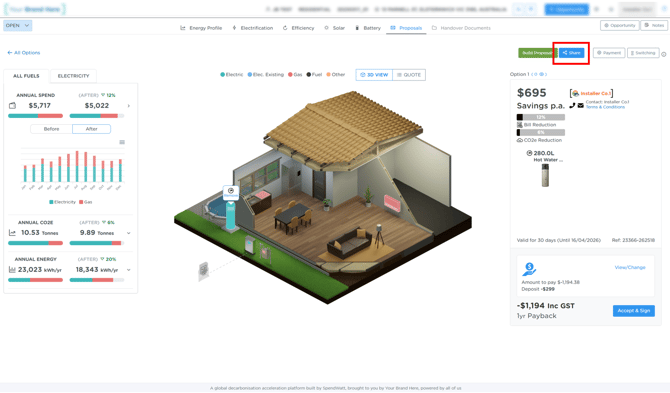
Problem:
When clicking “Share” on a proposal, nothing happens or the proposal does not send.
Quick Check (Try This First)
Check that the customers email address (if any is formatted correctly i.e. no comma's where there should be full stops etc) - if you want to be sure the email is not the problem you can temporarly remove it and click 'Share' if that works the email is the problem, if it does not then it's not.
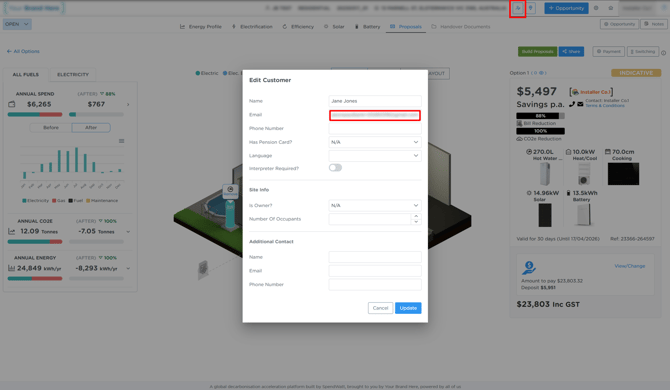
If the issue continues, follow the below steps:
Why This Happens
This issue can be caused by a known bug related to Payment Settings.
In some cases, one or more payment options configured in the proposal can prevent the share function from completing successfully.
How to Fix It
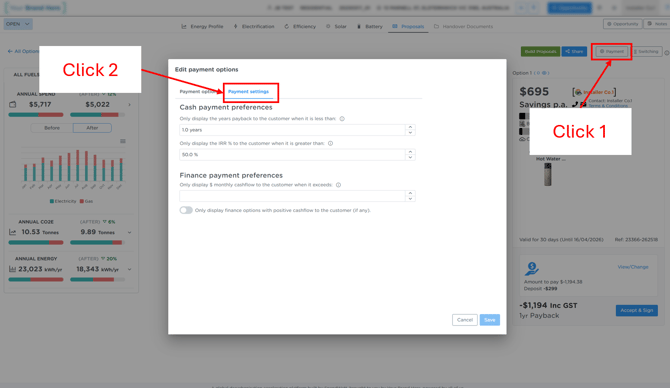
Step 1: Open Payment Settings
Navigate to the payment section within the proposal.
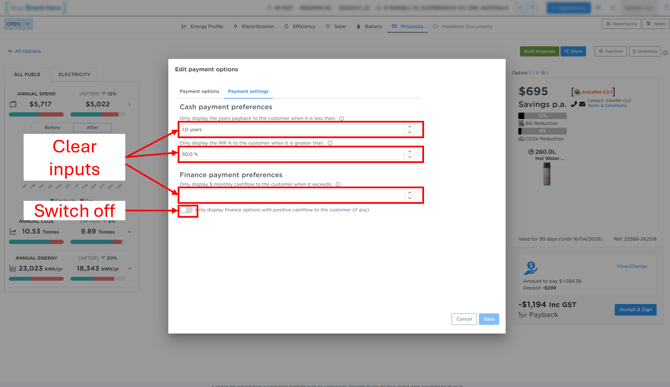
Step 2: Remove Payment Inputs
Remove all configured payment options.
Step 3: Try Sharing Again
Click “Share” again.
The proposal should now send successfully.
Note
This is a known issue that is currently under investigation.
We apologise for any inconvenience caused.