
Step 1 - Navigate to Cost Management
Go to Cost Management and click + Component to create a new incentive that applies once per project rather than to a specific technology (e.g., a state rebate that applies whether the job includes solar, battery, or both).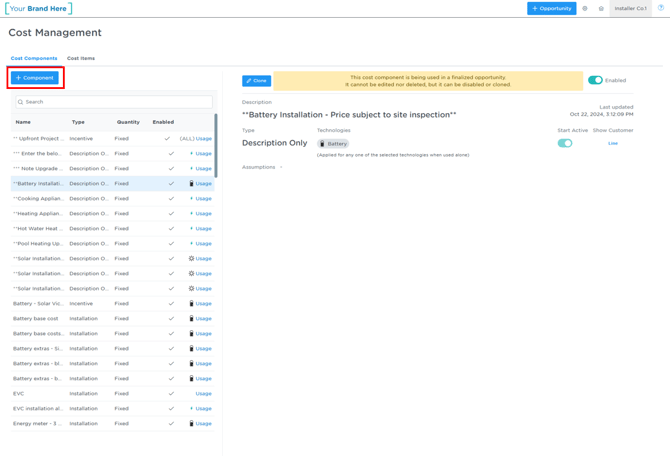
Step 2 - Configure the Incentive Details
Fill out the component settings according to your requirements:
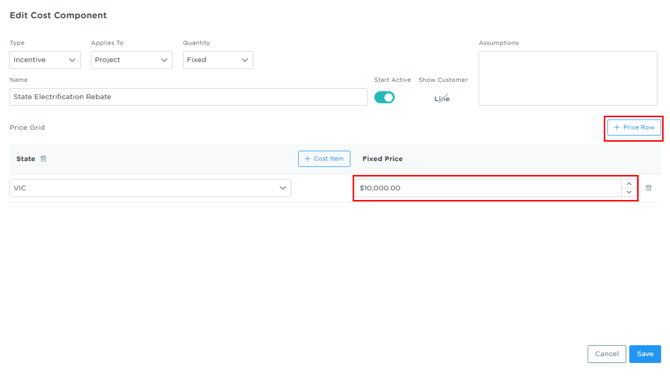
- Set Applies To to Project.
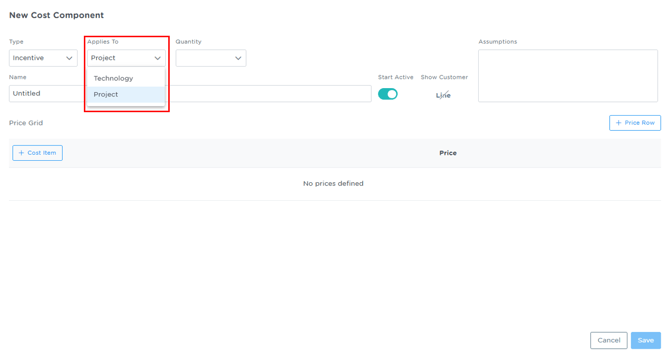
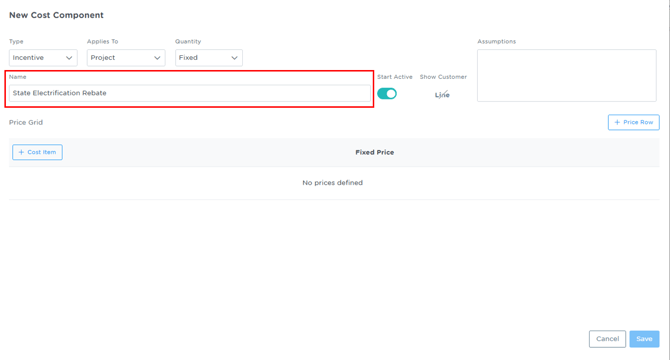
- Name the component (e.g., "State Electrification Rebate").
- Click + Cost Item and select the criteria that determine when the incentive applies (e.g., state, customer type, electrification type).
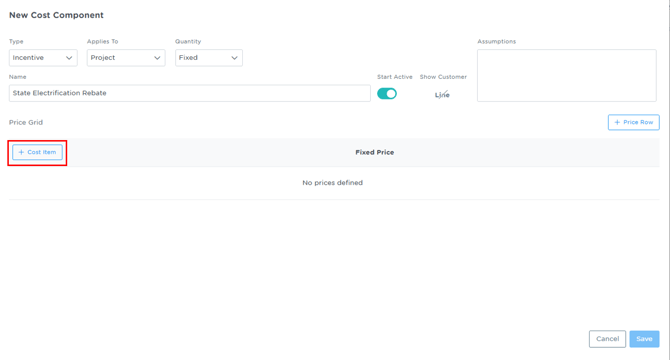
- Click + Price Row to set the price for that criteria.
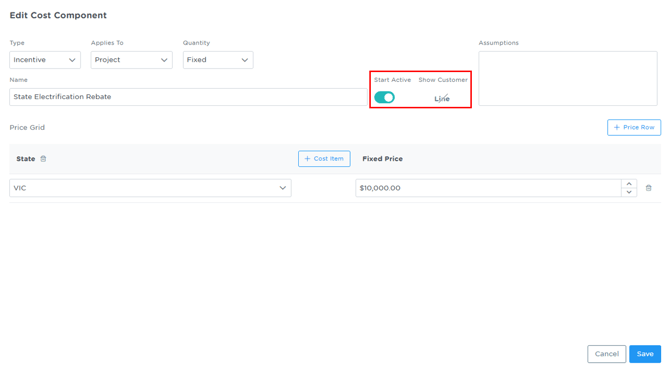
- Toggle Start Active on if the incentive should apply immediately.
- Toggle Show Customer on if it should appear on the customer-facing quote.
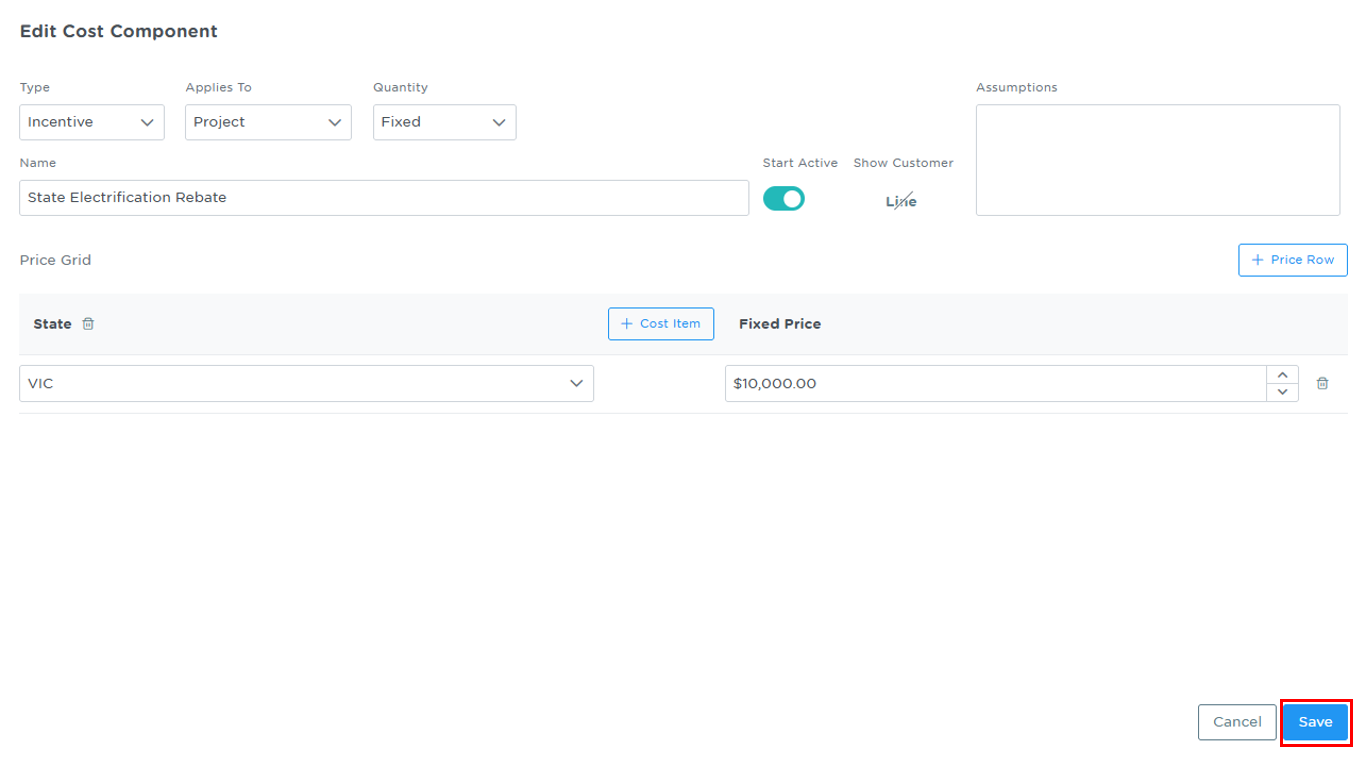
- Click Save.
Managing Project-Level Items per Customer
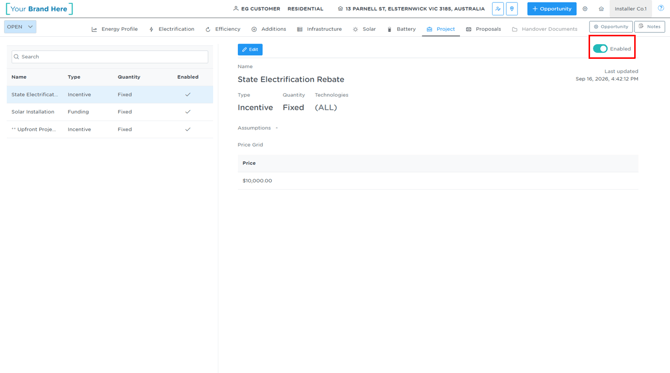
Some incentives (such as means-tested programs) do not apply to every customer, even within the same eligible region. The new Project tab on the opportunity displays every project-level incentive the customer is eligible for based on global criteria (e.g., a NSW-only incentive will not appear for a VIC customer).
- Navigate to the specific opportunity and open the Project tab.
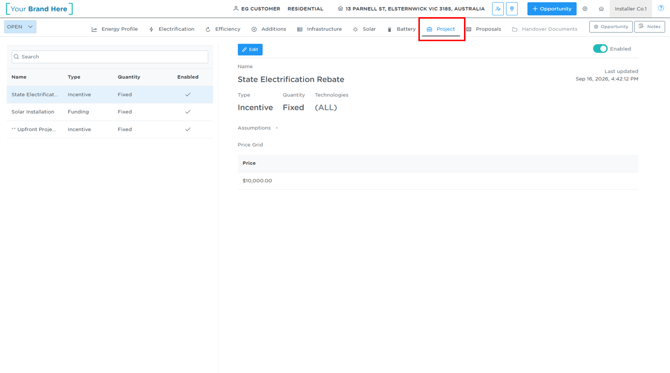
- Toggle Enabled off if the incentive does not apply to this specific customer, or leave it on.
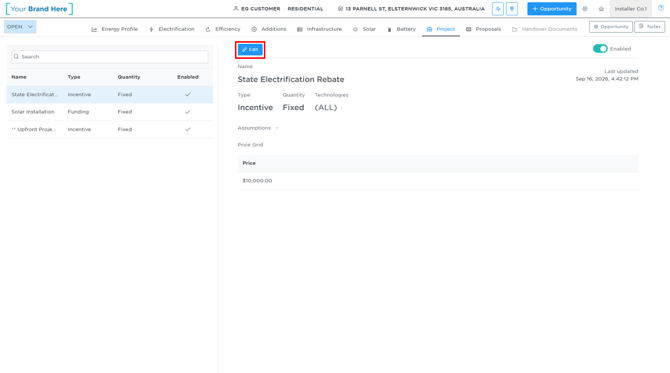
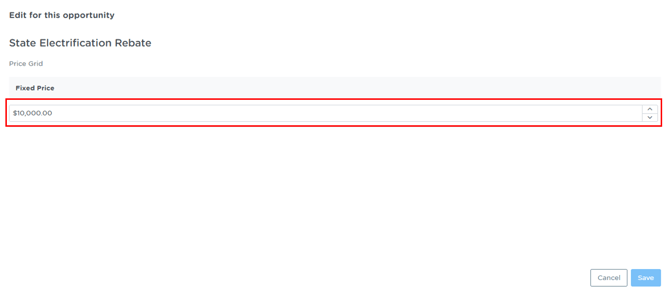
- To adjust the Price if a custom amount is needed for this customer, click edit, enter the required price and then click Save.
Note: The opportunity-level view only allows you to enable/disable or adjust the price of pre-configured incentives for that specific customer. You cannot add brand-new incentives or alter eligibility rules from this view - those must be configured by your administrator.