
Applies to: All users with admin access
Follow these steps to invite a new team member in your organisation settings.
Invite a New Member:
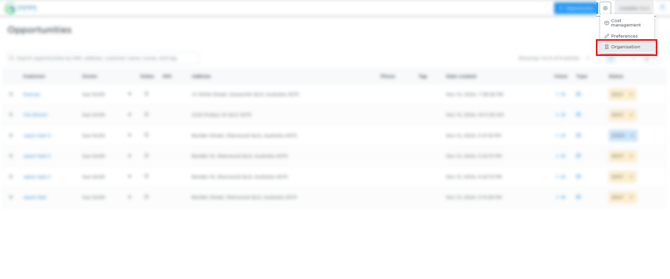
- Navigate to Organisation Settings by clicking the gear icon in the top-right corner.
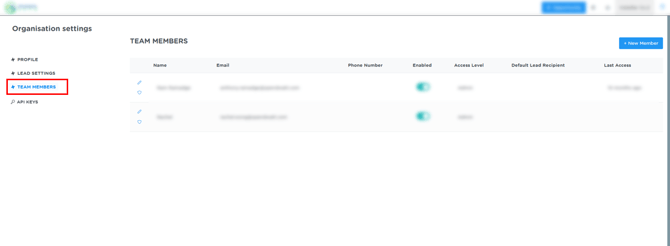
- Select Team Members from the left-hand menu.
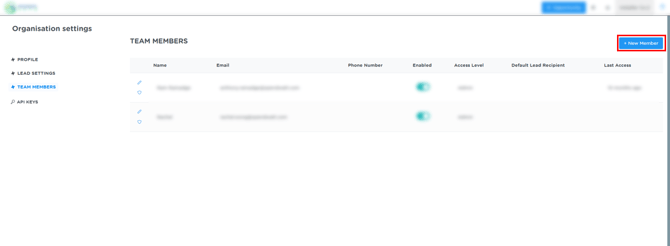
- Click the + New Member button in the top-right corner of the team members table.
- In the popup window, fill in the new member's details:
- Email: Enter the user's email address.
- Name: Enter the user's name.
- Phone Number: Enter the user's contact number.
- Admin?: Use the toggle to control administrative access. Enable the toggle to grant admin access, or disable it for standard access
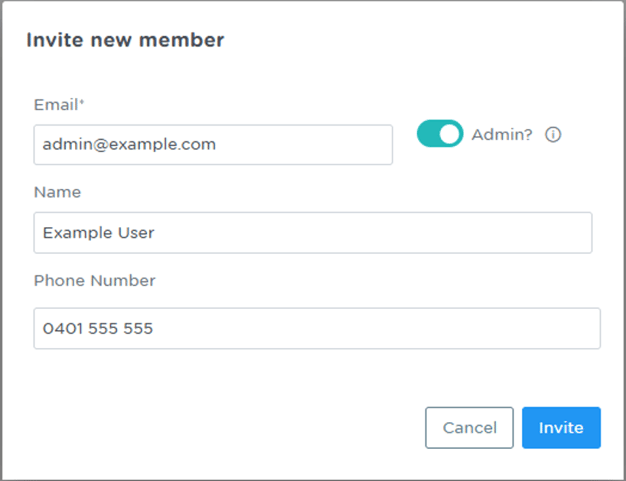
- Click Invite to send the invitation and save the new member.