
Request a Feature or Improvement Report a Bug Contact us
Skip to content
English
  • There are no suggestions because the search field is empty.

Add a Customer Phone Number

Easily add a customer’s phone number directly within an opportunity to keep all their details in one place.

Last Updated: February 2026

Adding a Phone Number:

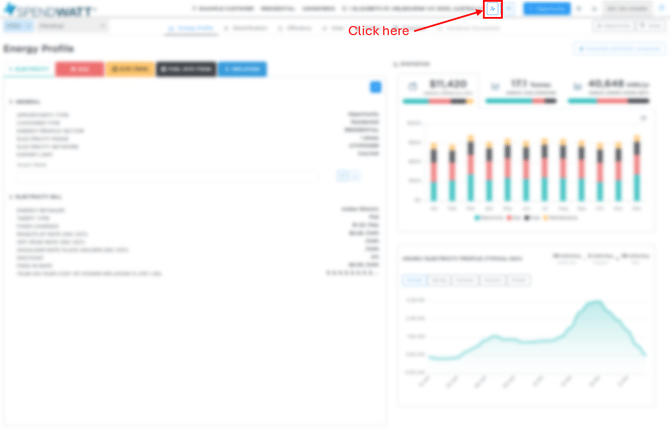
  1. Click the Edit Customer icon in the top-right corner of the screen.

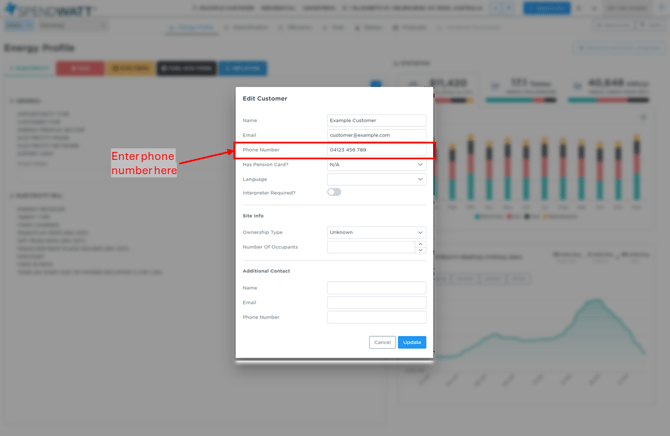
  2. Enter the customer’s phone number and click Update to save the changes.
        Congratulations! You’ve successfully added a phone number to your customer’s profile.
        Now you can reach them easily when needed.


        Submit a request:
        Support | Report a bug | Feature request | Request a product addition

        All requests are tracked through our service system to ensure nothing gets missed.