
Last Updated: 19th November 2024
Applies to:
- Solar Installer users
- Enterprise users
-
Where to Start
Start in the Solar Technology section in the Project Options tab.
Then Follow The Below Simple Steps:
-
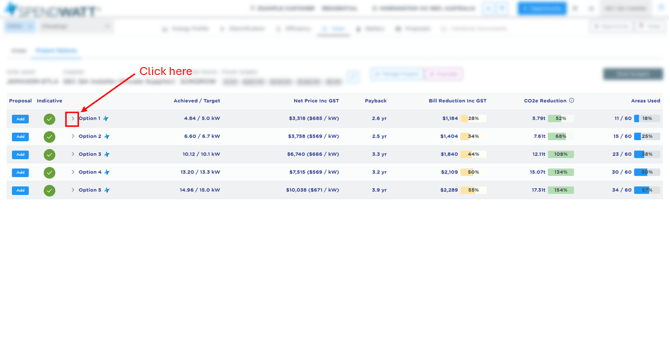
Expand the solar option you want to change the inverter in by clicking on the dropdown next to the text Option [x].
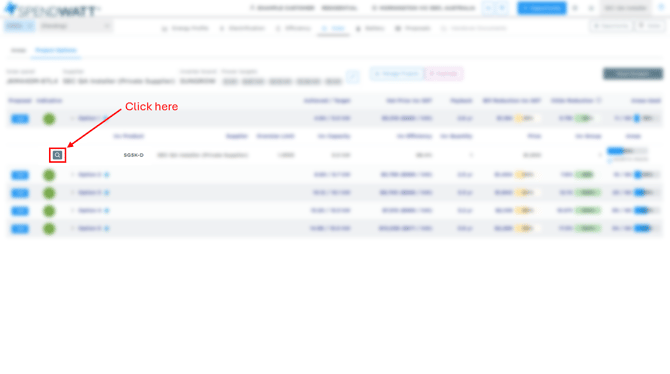
- Click on the magnifying glass icon to bring up the product selection popup.
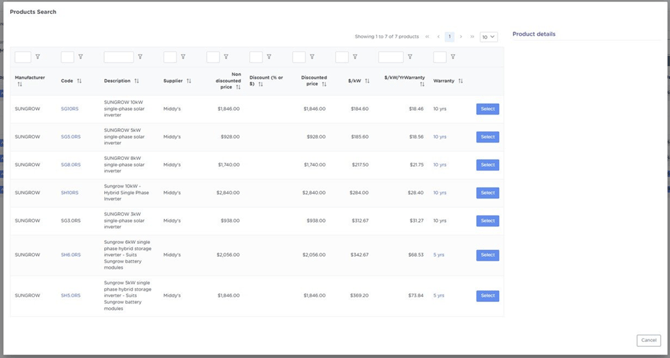
- Locate the inverter you are looking for and select it using the buttons on the right hand side. If there are multiple pages then you can try using the search boxes at the top of each column to find the product accordingly.
Help! Can't find the product you're looking for? Check out our article Help Adding Products in an Opportunity
-
Done! it's that simple.