
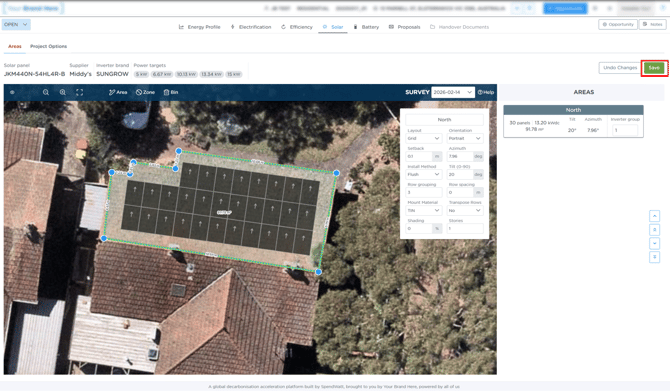
Why This Happens
In most cases, this occurs because the system is still processing complex calculations in the background, even if the screen appears unresponsive.
It can also be caused by:
- High system load (e.g. multiple power targets)
- Conflicting project setups
- Product availability issues
Quick Check (Try This First)
After clicking Save:
- Wait for 2 minutes
- Then refresh the page
If your updated panel design appears or you are taken to the Project Options page, everything has saved correctly.
If the issue continues, follow these steps in order:
1. Reduce Power Targets
- Reduce power targets to 1x, then
- Update your solar design again and click Save
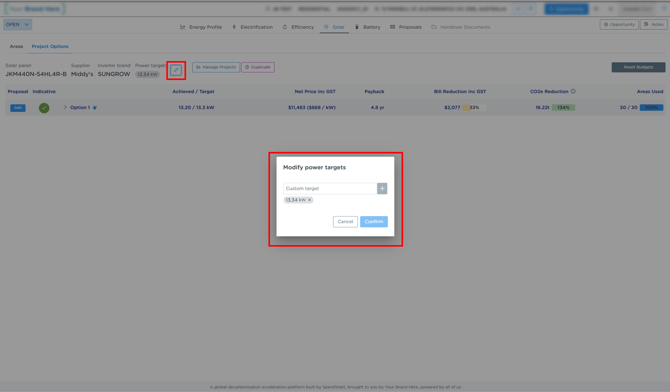
If you need multiple power targets:
- Wait for the initial layout to load first
- Then add additional targets in the Project Options tab
Note: if you want to change the design again you may need to first repeat the steps in this section 1.
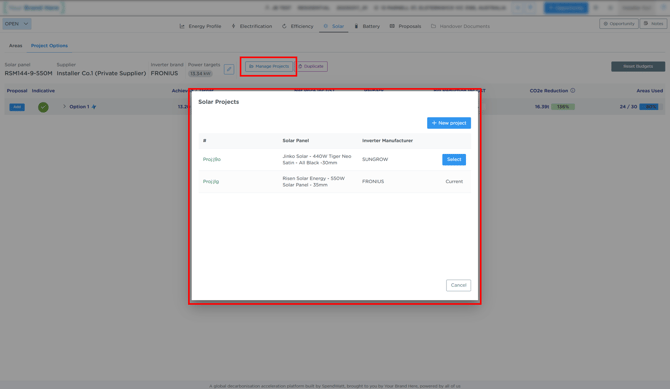
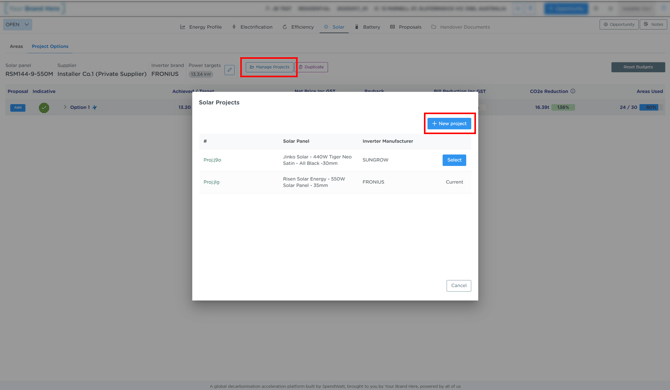
2. Check Multiple Projects in the Same Opportunity
If you have multiple solar projects:
- Ensure each project has only 1 power target
- Avoid multiple projects with multiple targets at the same time
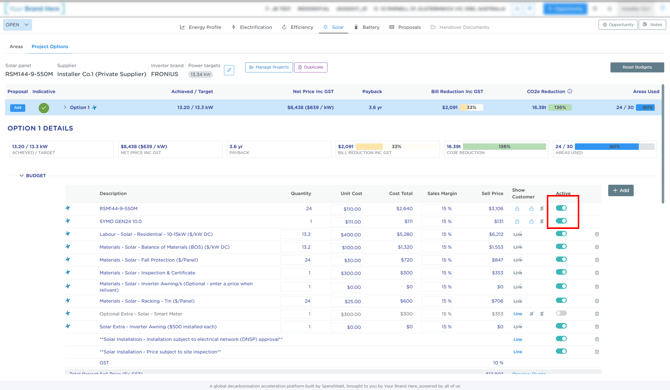
3. Ensure All Products Are Enabled in the budget
- Check that no products are toggled off / disabled in the budget
4. Check Supplier Availability
- Ensure all selected products are available in your Private Supplier
- Replace or add any missing products if needed
5. Create a New Project (Last Resort)
If none of the above resolves the issue:
- Create a new solar project (within the same opportunity)
- Use the same products and settings
Still Not Working?
If you’re still unable to save your solar design:
Submit a support request using the links at the bottom of this page
Our team will investigate and get back to you as soon as possible.