Why This Happens
This typically occurs when an electrification or efficiency product included in the proposal has been disabled within the budget, as shown in the example below.
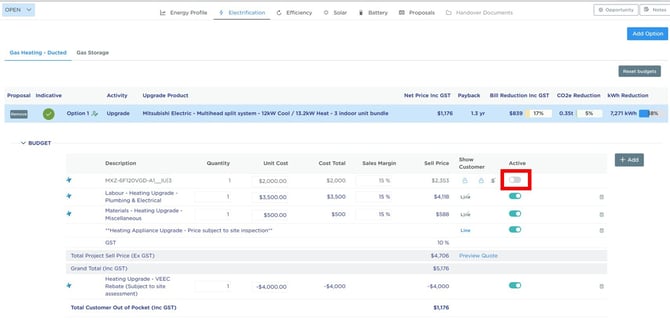
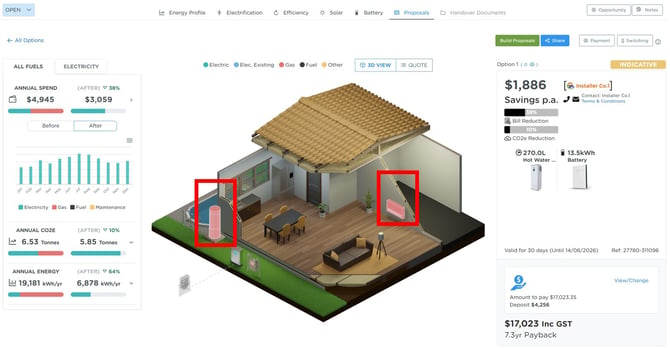
When the product is disabled in the budget, the proposal still recognises the upgrade in the summary panel, however the 3D proposal cannot render the interactive product controls.
How to Fix It
- Open the relevant budget
- Re-enable the disabled product line item
- Rebuild the proposal
Once rebuilt, the products should appear correctly within the 3D model and can be interacted with as expected.
Customer-Supplied Products
If the product was intentionally disabled because it is customer supplied, you should instead:
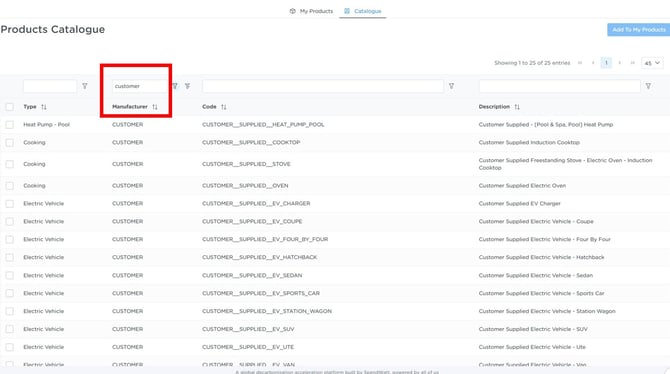
- Add the relevant generic/customer-supplied 'product' into your Private Supplier catalogue
- Create a new proposal option using those products
This allows the proposal to display correctly in the 3D model without being tied to a specific supplied product.